01
Location-aware QR access
One scan. Every service.
A room, villa, table, pool, lounge, bar, or beach QR opens the services configured for that exact location—no app required.
Ordering & service management
Give guests one simple way to order, request services, and communicate with every hotel department—without phone calls, paper notes, or an app download.
1× Passionfruit cooler
Guest B · Room 205Every request reaches the right team
The connected workflow
NexDine connects the physical service location, the guest request, the responsible department, and the room account.
The QR code identifies the room, villa, table, pool, lounge, bar, or beach area.
The guest chooses food, drinks, housekeeping, laundry, transfers, maintenance, or amenities.
The request goes automatically to the kitchen, bar, housekeeping, room service, or front office.
Staff update the status until completion, while chargeable activity stays attached to the room.
More than QR ordering
Simplicity for the guest. Clear ownership for departments. Complete visibility for management.
Location-aware QR access
A room, villa, table, pool, lounge, bar, or beach QR opens the services configured for that exact location—no app required.
Room guest management
Multiple guests can order independently through the same room QR while every activity remains linked to the correct room account.
Automatic department routing
Food reaches the kitchen, drinks reach the bar, towels reach housekeeping, and transfers reach the front office automatically.
Clear service status
Every order and request moves through New, Accepted, In Progress, Ready, and Delivered or Completed.
Room-level billing
Food, beverages, laundry, amenities, and other chargeable services build one complete digital room record for checkout.
Centralized management
Monitor active orders, pending requests, completed services, sales, payments, staff activity, and service performance.
Expected business impact
Digitize routine requests so every team can respond faster and management can see what is happening.
Guests use their own smartphones to order and request what they need—without installing an application or contacting reception.
Digital requests reduce verbal misunderstandings and automatically give each department clear ownership and status.
Monitor pending work, sales, payments, staff activity, service performance, and complete digital transaction records.
The guest journey
See how NexDine identifies the location, routes the request, tracks the status, and updates the room activity.
The QR code identifies Room 205, Table 12, Pool 08, or any configured service point.
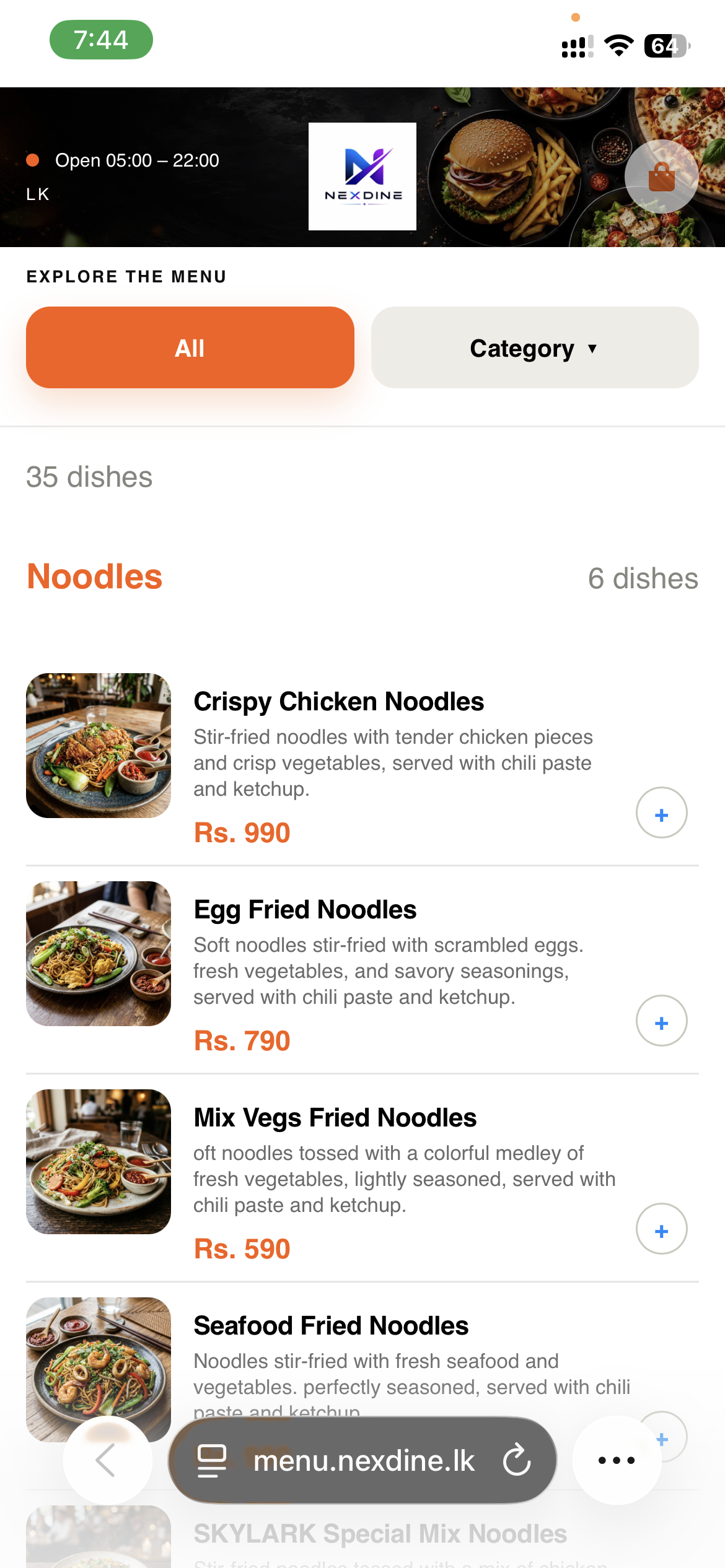
Configured for your property
NexDine is configured around each property’s physical locations, departments, menus, staff structure, permissions, billing rules, and required devices.
From configuration to go-live
We adapt NexDine to the way your hotel already operates, then test and train every relevant team.
Confirm rooms, villas, service areas, departments, billing requirements, menus, QR locations, staff accounts, and permissions.
Validate scanning, location identification, multiple room users, department routing, statuses, billing, payments, and staff access.
Deploy the property, monitor the initial period, and provide ongoing maintenance, technical assistance, configuration, and operational guidance.
Operational visibility
From origin to department, staff status, completion, and billing, NexDine creates one traceable digital record.
Every activity starts with a known room, villa, table, pool area, lounge, bar, or other configured location.
Kitchen, bar, housekeeping, room service, front office, maintenance, and cashier teams see the work assigned to them.
Management follows each request through New, Accepted, In Progress, Ready, and Delivered or Completed.
Chargeable services remain linked to the correct user, room or location, transaction, and final bill.
Scalable room-based pricing
Choose monthly maintenance or save 10% with annual payment. Installation is quoted separately for your devices and configuration.
Installation & setup: device cost plus property-specific installation, QR setup, menus, services, staff accounts, permissions, testing, and training.
The next step